Overview
This document describes the following updates:
- Devices
- Point of Sale
- Reports
If you have questions regarding the updates described in this document, please contact the Heartland Retail support team.
Enhancements
The following release notes detail the enhancements we have included in this release.
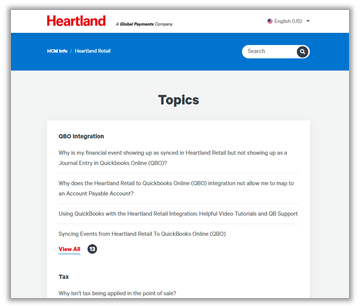
HRTL-2467 – Updated Help & Support URL to Point to Zendesk
Since we have moved our help and support articles to Zendesk, we have updated the Help & Support URL to point to the Heartland Retail Page in the new environment.
HRTL-2676 – Add ‘Gift Card #’ Option to Gift Card Report Groups
So that customers can easily view activity and balance for specific gift card numbers, we have added GIFT CARD # to the available Groups when running a gift card report.
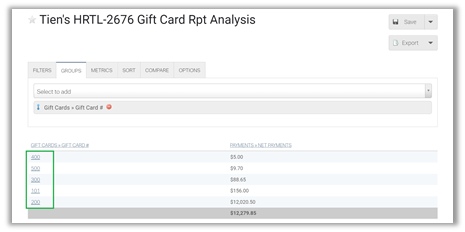
If you select this group, along with other data, the report will display the full gift card number.
Updates
The following release notes detail the updates we have included in this release.
HRTL-1797 – Fixed Issue with Sales Tax on Returns
We have identified and fixed an issue that resulted in sales tax amounts not being reflected in returns against sales orders. With this release, sales tax is reflected as expected.
HRTL-1897 – Fixed Issue with Markdowns in Reporting
In previous versions, if, when conducting a sale, a merchant applied an additional markdown to an item with an existing permanent markdown, the POS would lump the two markdowns under the same heading in reports. With this release, the markdowns are correctly reflected in reports under their respective markdown headings.
HRTL-1939 – Fixed CSV Export Issue When Location Name Contains Commas
In previous versions, if you attempted an export that included commas in location names, it would cause the location name to be split into two column headings in the CSV. With this release, the export works as expected.
HRTL-2304 – Fixed Issue with Shipping Weight Populating Too Soon
In previous versions, when fulfilling Ship-To orders, the POS would populate the shipping weight BEFORE allowing the merchant to select a shipping method. Then, in order to select a shipping method, the merchant had to first remove the shipping weight and, after selecting a shipping method, reenter the shipping weight. With this release, the shipping weight populates AFTER the mechant selects the shipping method as expected.
HRTL-2819 – Fixed PAX A920 Portico App ‘Unknown Error’
We have fixed an issue with PAX A920 devices used as customer-facing displays that produced an unknown error when attempting to add a credit card payment. When these errors occurred, you had to reset the device in order to proceed. With this release, the device processes transactions as expected.