Overview
This document contains explanation for the following enhancements and updates:
- Mobile App
- Admin Console
If you have questions regarding the updates described in this document, please contact Heartland Mobile
Manager Support by email at hmm@heartland.us.
Enhancements
The following release notes detail the enhancements we have included in this release. We have divided these by project area.
Mobile App
HMM-2815 – Added Email Address to ‘Who’ Views
Description: The mobile app now displays users’ email addresses along with names on the Notify Who and Created By selection pages of Manager Logbook.
Details: In previous versions, the mobile app displayed only users’ names on the Notify Who selection
and Created By filter screens of Manager Logbook, with no other identifiers. In cases where two or more users had the same name, it was impossible to differentiate between them. 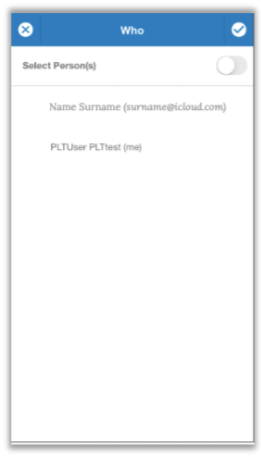
With this release, the mobile app now displays email addresses along with names so that you may easily identify and select the desired profile. Both of these screens will display the current user as FirstName LastName (me).
HMM-2922 – Allow Store Owner to Edit Titles Only for Entries Created by Them
Description: Manager Logbook now allows you to edit titles for only those entries created by you.
Details: Previous versions of the mobile app allowed you to edit titles of all Manager Logbook entries,
regardless of who created them. 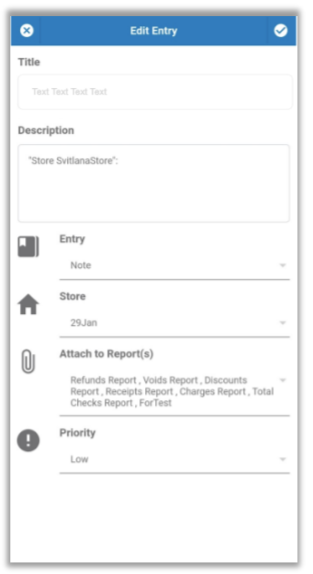
With this release, only the person who created any given entry is allowed to edit the title. For all other users, the title is not clickable.
HMM-3044 – Require Store Selection on ‘Create Entry’ Page of Manager Logbook
Description: The mobile app now requires Store selection on the Create Entry page of Manager Logbook.
Details: Along with Entry type, the Create Entry page of Manager Logbook now requires you to select a
Store when creating a new logbook entry. It then displays data specifically related to the selected store.
HMM-3200 – Added ‘Refresh’ Feature to Reports
Description: You can now refresh reports within Mobile Manager by using a pull-down gesture on the report screen.
Details: With this release, if you wish to refresh the report that is currently displayed in Mobile Manager,
you can do so by using a pull-down gesture on the report screen. While processing the request, the app will display a “Refreshing…” note at the top of the screen, along with a cloud overlay in the middle of the screen. Once the report has refreshed, the note and cloud disappear and the report will reflect updated data.
HMM-3201 – Require ‘Target Date’ for Tasks With ‘One Day Before the Target Day’ Notification
Description: If you select “One day before the target day” for a task, Mobile Manager now will require you to select a Target Date for the entry.
Details: Previous versions of Mobile Manager allowed you to leave the Target Date blank, even if you
selected to be notified “One day before the target day” for the task. With this release, if you request such
notification, Mobile Manager will display a message under the Target Date field indicating that it is required, and will not allow you to save the entry until you make a selection. Additional validation.
HMM-3516 – Improved Behavior When Deleted Logbook Entries Are Selected
Description: Mobile Manager now displays a clear message if you try to open a deleted Manager Logbook entry, and directs you back to the logbook entry list.
Details: We have improved the behavior of Mobile Manager when a user tries to open a deleted
Manager Logbook entry. It now displays a clear message, indicating that the entry was deleted, and citing the user who deleted it. As well, it directs you back to the Manager Logbook entry list.
HMM-3557 – Implemented Real-Time Updating for Reports
Description: The Mobile Manager app now updates reports in real time.
Details: With this release, Mobile Manager now updates reports in real time, immediately taking into
account any changes to reports configuration performed on the Admin Console, such as the addition or removal of a report. As well, report figures will update in real time to reflect newly received XML data.
HMM-3558 – Implemented Real-Time Updating for Alerts
Description: The Mobile Manager app now automatically displays new alerts in real time.
Details: With this release, if you are working within the mobile app and alerts are triggered by another
user, the alerts will display on your device automatically, without requiring you to refresh.
HMM-3560 – Implemented Real-Time Updating for Store Selection Page
Description: The Mobile Manager app updates store list on Store Selection page in real time, and displays a toast message immediately when the current user has a store assigned or unassigned.
Details: With this release, if store assignment is added to or removed from the current user, Mobile
Manager will immediately display a toast message informing the user of the action(s). As well, it will update the user’s store list on the Store Selection page in real time as assignment changes occur.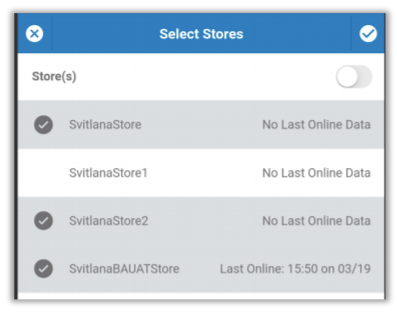
HMM-3561 – Implemented Real-Time Updating for Key Stats Mosaic
Description: The Mobile Manager app now automatically updates all aspects of Key Stats mosaic in regular real-time intervals.
Details: With this release, Mobile Manager now automatically checks for changes such as saved
changes to Key Stats configuration on the Admin Console, and newly received XML data. Mobile Manager
automatically updates all Key Stats mosaic components to reflect such changes in approximately 10-second intervals, with the exception of graphs, which are updated approximately every 30 seconds.
HMM-3562 – Implemented Store Assignment Alert
Description: We have added push notifications for store assignment actions.
Details: You can now receive alerts when a user is assigned to, or unassigned from, a store. This alert
will display with a home icon with a symbol on top. A green + sign indicates a user has been assigned to a store. A red X sign indicates a user has been unassigned from a store.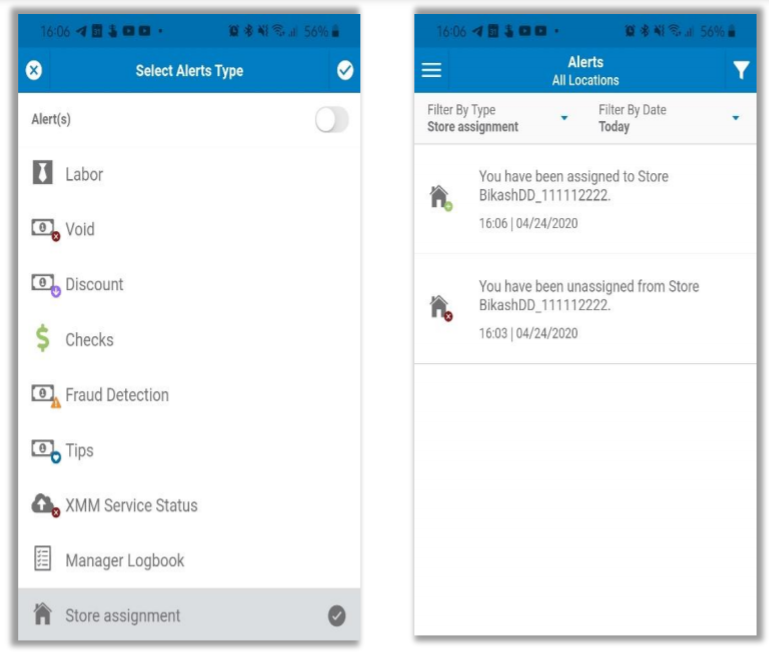
Admin Console
HMM-3276 – Display List of Assigned Stores and Dealership on Client Update Page
Description: The Admin Console now lists assigned dealership and stores on Client update page.
Details: To provide more information and facilitate more efficient navigation, the Admin Console now
lists assigned dealership and stores on the Client Update page.
- Active assigned entities are displayed in blue font.
- You can click active assigned entities (stores and dealership) to view their pages.
- Deleted stores are displayed in gray, strike-through font, and are not clickable.
- If the client has no dealership or stores assigned, the Admin Console will display a message indicating this.
HMM-3244 – Show Message on Key Stats and Reports if Store Owner Is Not Assigned
Description: The Admin Console now displays a message on Key Stats and Reports pages informing store
owners if their account is not yet attached to a store.
Details: As in the mobile app, the Admin Console now displays a message on Key Stats and Reports
pages informing store owners if their account is not yet assigned to any stores, and instructs them how to
correct this. (“This account isn't attached to a store yet. Please contact your Admin/Dealer to attach store(s) to this account and see real-time data on the app.”)
HMM-3550 – Added Highlighting to Primary Grouping Totals in Report Tables
Description: With this release, the Admin Console highlights primary grouping totals in reports with a bold font, and inserts thicker borders between each grouping.
Details: To clarify report groupings and totals, we have added bold font to totals for all primary
groupings, and have thickened the borders that separate these groupings.
HMM-3260 – Improved Confirmation Message When Using ‘Reset to Default’ on Push Notifications Settings
Description: We have clarified the confirmation message when using Reset to Default on Push Notification settings.
Details: In previous versions of the Admin Console, the confirmation prompt when using Reset to
Default was unclear. With this release, we have clarified the message, and included the affected store name.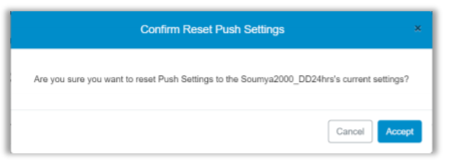
HMM-3515 – Added ‘Hit Preview to Refresh’ Prompt to Reports Page
Description: We have added a Hit ‘Preview’ to refresh prompt to the Reports page.
Details: We have added a Hit ‘Preview’ to refresh prompt to the Reports page. This displays any time
the report that is currently displayed is deemed to be not up to date, either because parameters have been changed, or because new XML data has been received.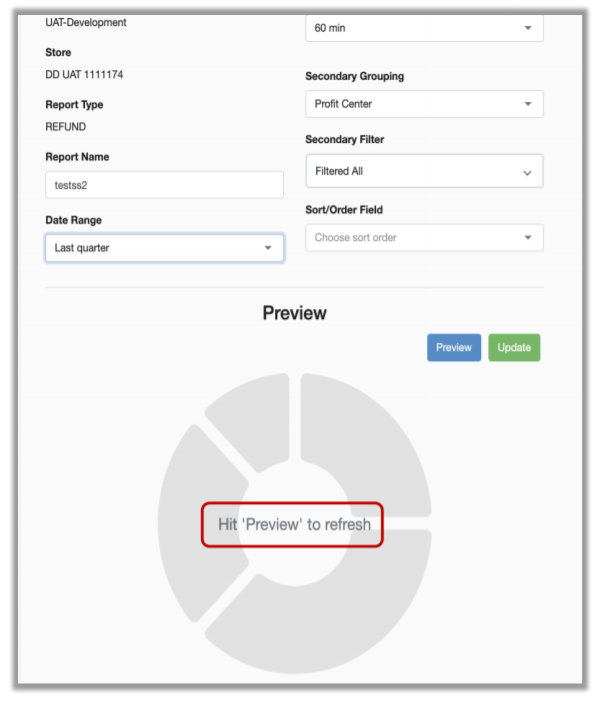
HMM-3529 – Upgraded Store Owner Page with Device Layout
Description: We have added a mobile device layout to the Store Owner page to display a likeness of the
current user’s mobile device (Android or iPhone).
Details: The Admin Console now simulates the Reports and Key Stats screens of Mobile Manager,
captured in a device likeness displayed on the Store Owner page. The device image will display either to the right of, or below, the Push Settings section, depending on browser resolution.
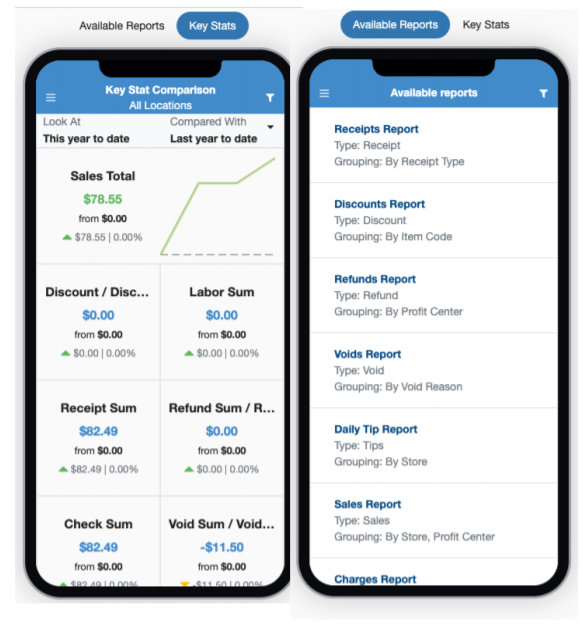
- The Reports screen shows available reports and is not clickable.
- The Key Stats screen shows key stats and is clickable.
- Changes made to parameters in Mobile App are immediately reflected in Admin Console.
- Changes made to parameters in Admin Console are immediately reflected in Mobile App.