Overview
This document contains explanations for the following enhancements:
- Mobile App
- Admin Console
If you have questions regarding the updates described in this document, please contact Heartland Mobile Manager Support by email at hmm@heartland.us.
Enhancements
The following release notes detail the enhancements we have included in this release.
Mobile App
HMMC-6493 – Implement Sales Forecast on LIVE Page
To allow customers to better understand and anticipate sales trends, we’ve added a Sales Forecast button to the Mobile Manager LIVE page.
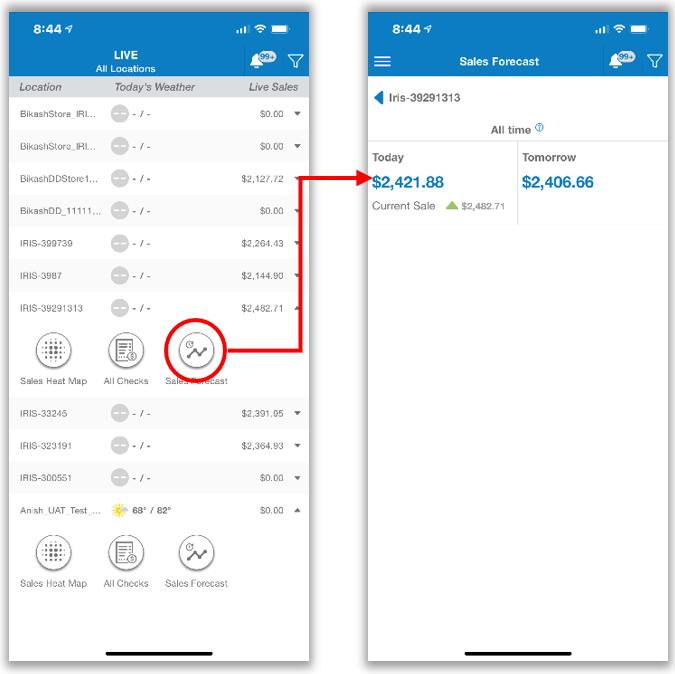
By selecting this button, customers can view projected sales for the current and following day.
Please note: This feature requires at least four weeks of historical sales data and will not populate unless sufficient data exists.
HMMC-6742 – Updated ‘Invitation to Heartland Mobile Manager’ Email
We have removed unnecessary text from the Mobile Manager invitation email and have replaced it with a simplified message accompanied by buttons linking to the mobile app’s download page in the App Store and Google Play.

HMMC-6865 – Remove Bell Icon from Notifications Screen
Since it served no purpose there, we have removed the bell icon from the Notifications page. The icon remains on all other screens to notify the user of the number of unread notifications, and to allow for easy navigation back to the Notifications page.
HMMC-6866 – Add Settings ‘Gear’ Button to Notifications Screen
We have added a gear button to the bottom right of the Notifications page that, when selected, opens the Notifications Settings page.
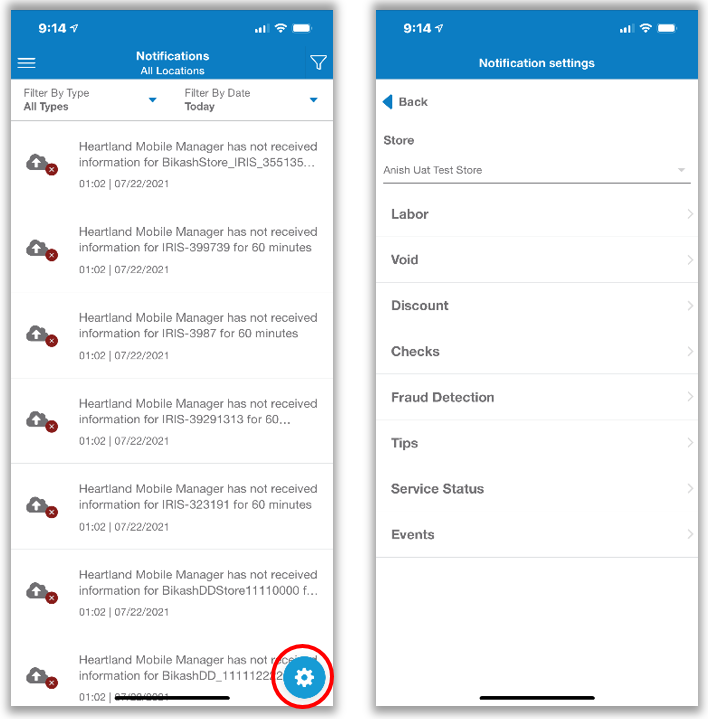
With this addition, users can more easily access and change these settings, and with less navigation.
Please note: Users with more than one store will be prompted to select a store before being taken to the Notifications Settings Page.
HMMC-6869 – Duplicate Unread Notifications Counter in Main Menu
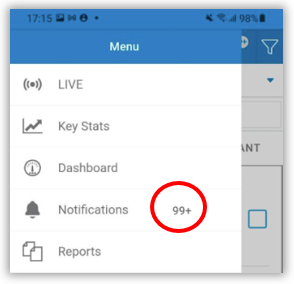
The mobile app now displays the unread notifications counter in the main menu next to Notifications.
HMMC-6876 – Implement Seasonal Forecast on LIVE Page
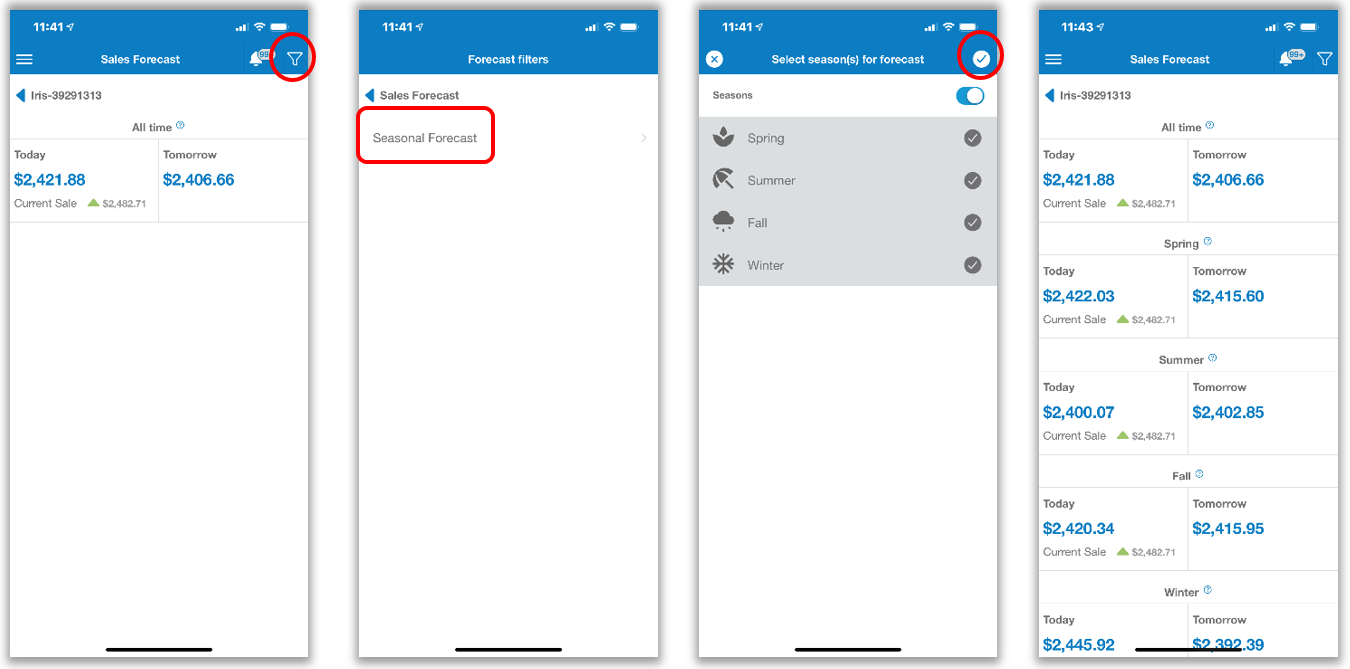
In further efforts to allow customers to better understand and anticipate sales trends, we have added the option to view a Seasonal Forecast via the LIVE page. To access this feature, from the Sales Forecast page, do the following:
- Tap the funnel icon in the upper right corner
- Select Seasonal Forecast
- Select desired season(s) or use the Seasons toggle to select all seasons
- Tap the check icon in the upper right corner
The seasonal sales forecast will display based on your selections.
Please note: This feature requires at least four weeks of historical sales data and will not populate unless sufficient data exists.
Admin Console
HMMC-6059 – Implement Search by ‘Salesforce ID’ Capability
For added flexibility and convenience, the Admin Console now allows you to search by Salesforce ID. This is available when searching for clients, stores, and dealerships.
HMMC-6723 – Improve Flow for Setting Password When Activating New Store
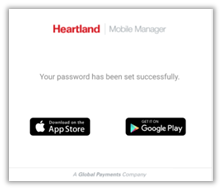
In previous versions, the option to set a password for a new store was combined in a single step with the redirection to the mobile app’s page on the App Store and Google Play. We have improved this process by adding a separate Save button that saves their password before redirecting them to the mobile app’s download pages. Once they have successfully saved their password, they can then download the app at their convenience from the page that displays.
HMMC-6968 – Implement Export Store Data Option for Admin Users
In previous versions, the Admin Console allowed only Super Admins to export store data. With this release, we have made this option available to Admin users as well.