Overview
This document contains explanations for the following enhancements:
- Mobile App
- Admin Console
If you have questions regarding the updates described in this document, please contact Heartland Mobile Manager Support by email at hmm@heartland.us.
Enhancements
The following release notes detail the enhancements we have included in this release.
Admin Console
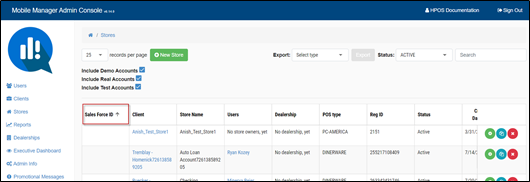
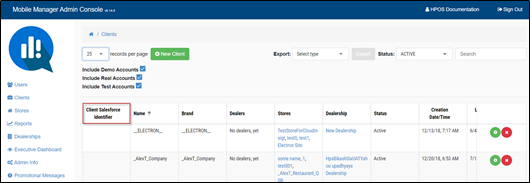
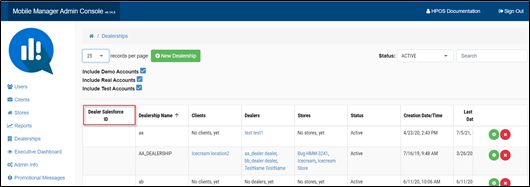
HMMC-3851 Added a Salesforce Identifier column
With this enhancement, we have added a Salesforce Identifier column to the Admin Console to the following sections: Stores, Clients, Dealerships.
HMMC-6722 Implemented Support Role
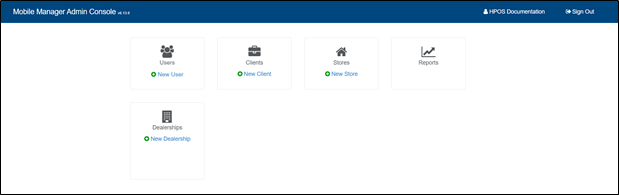
We have added a Support role to the Admin Console. Users can log in as Support and will be able to see all the entities except Admin Info, Executive Dashboard, and Promotional Messages. The Support role user will be able to edit all the entities with the following exceptions:
- Stores: Support cannot edit the Store Information section. However, they will be able to edit the on/off settings under the Mobile Application Information and make edits to Day parts.
- Clients: Support can see clients, but cannot edit any information
- Dealerships: Support can see clients, but cannot edit any information
Support role view of entities:
Mobile App
HMMC-5997 Time format changed from 24h to 12h am/pm format
We have moved from a 24hour time format to a 12h am/pm time format so all instance where time is expressed in the Mobile App and the Admin Console, time will now appear in the 12h am/pm format.
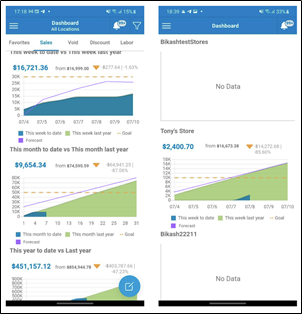
HMMC-6911 Implemented forecast graph to Dashboard
We have added a forecast graph to the dashboard. With this addition, users can more easily assess and plan the level of sales for their stores. The forecast graph appears as a solid violet line and is a cumulative sum of the sales data.
HMMC-7022 Implemented notification when Sales Total meets Sales Forecast
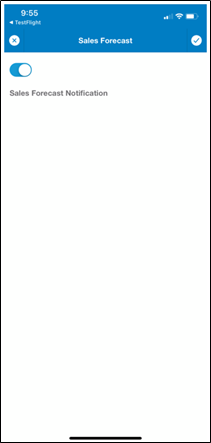
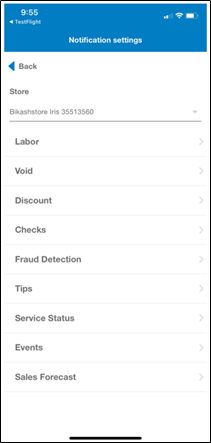
With this enhancement, users will now automatically receive notification when the Sales Total meets the Sales Forecast. The notification will display Today’s Sales Total meets this period Sales Forecast for Store (name). Selecting the notification will take you to the LIVE forecast for the corresponding store.
HMMC-7017 Added 'Events' to LIVE
With this release, when you navigate from LIVE and select a store, an Events icon has been added.
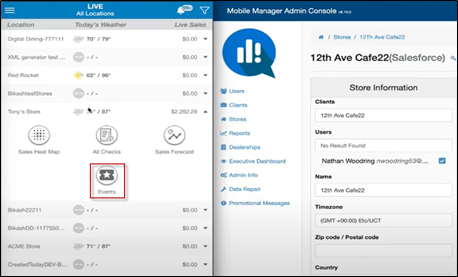
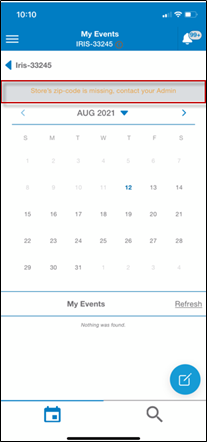
Note that stores without a Zip code will display the following warning message: Store’s zip-code is missing, contact your Admin and stores with the ZIP code set will display all events.
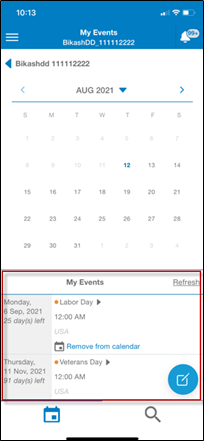
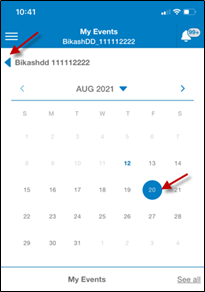
You can use the calendar to search for events by a specific date.
To improve functionality, we’ve also added a back arrow from Events allowing the user to easily return to the LIVE page.
HMMC-7195 Implemented Default Key Stat 'Receipt Total'
With this release, under Stores > Key Stats, we have added the Receipt Total. The Receipt Total is available for all existing stores and will be visible whenever new stores are created.
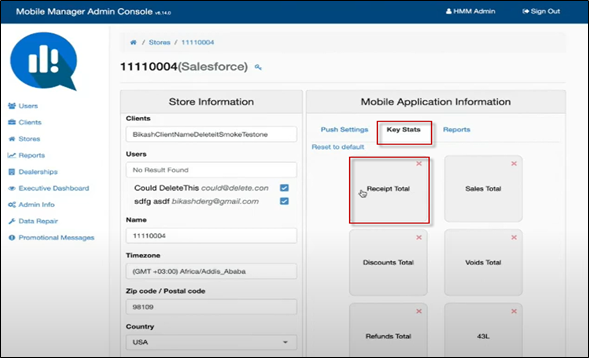
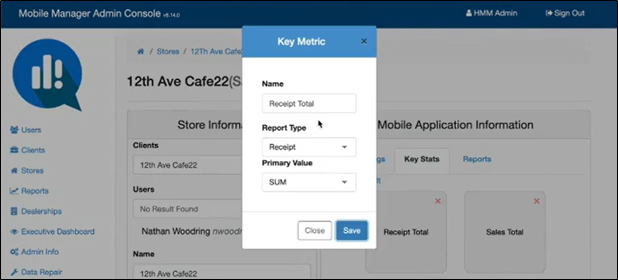
When the Receipt Total field is selected, the Key Metric box displays allowing you to edit the Name, Report Type, and Primary Value fields, if desired.
Admin Console & Mobile App
HMMC-6994 Deny selections more than two (2) years
To support the transactions archiving process, the calendar date picker selections are now restricted to viewing a maximum of two (2) years or less. For example, if today is 7/28/2021 the oldest date that can be selected on the calendar is 7/28/2019. Dates beyond than the two (2) year limit will appear grayed out on the calendar and will not be able to be selected.