Overview
This document contains explanations for the following enhancements:
- Mobile App
- Admin Console
If you have questions regarding the updates described in this document, please contact Heartland Mobile Manager Support by email at hmm@heartland.us.
Enhancements
The following release notes detail the enhancements we have included in this release.
Mobile App
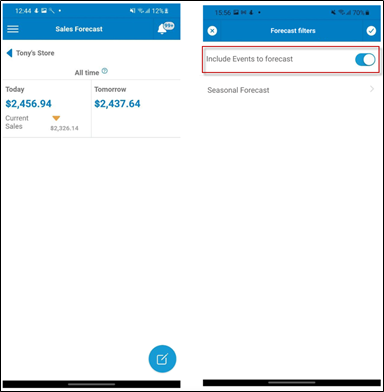
HMMC-7461 Changed ‘funnel’ to ‘float’ button in Live: Forecast
With this enhancement, the ‘funnel’ button on the LIVE: Sales Forecast screen has been replaced with a ‘float’ button on the bottom right of the screen allowing the user to more easily enable/disable the Include Events to forecast setting and the Seasonal Forecast settings. Additionally, the style and placement of the ‘float’ button maintains visual consistency in the Mobile App.
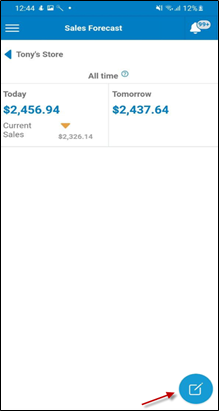
Result:
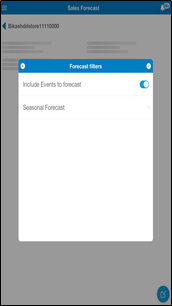
HMMC-6879 Implemented ‘events filter’ in Live: Forecast
With this enhancement, users can now select to include/exclude Events to/from the ‘regular’ and ‘seasonal’ forecast allowing them to see the forecast without high level sales data (i.e. Events).
HMMC-7403 Implemented ‘events filter’ in Events
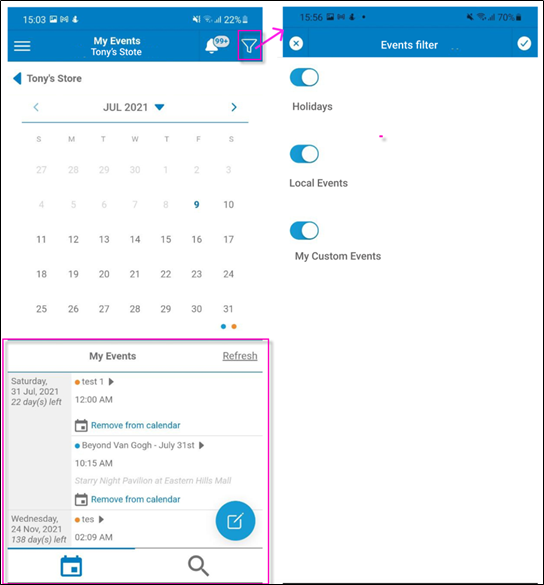
With this enhancement, users can now choose to hide/unhide different types of events in My Calendar. From the My Events calendar, selecting the funnel button in the top right opens the Events filter screen. From the Events filter, users can click the slide switches to enable/disable the different types of events allowing them to customize their calendar and see only the events they want to see.
- Holidays – these are national holidays listed in the user’s Events calendar
- Local Events – these are Ticketmaster events on the user’s Events calendar
- My Custom Events – these are user created events
HMMC-6301 Allowed decimals for Sales Goals
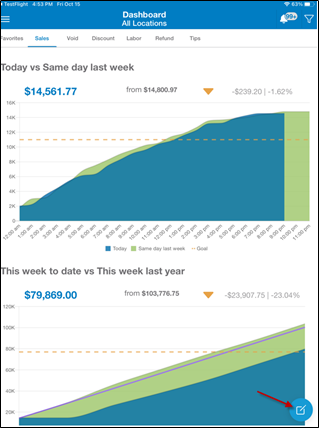
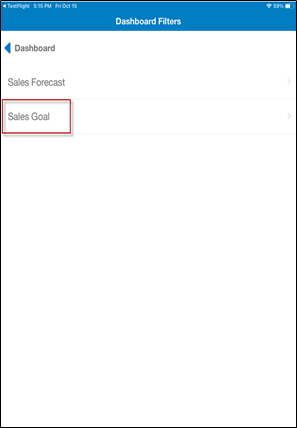
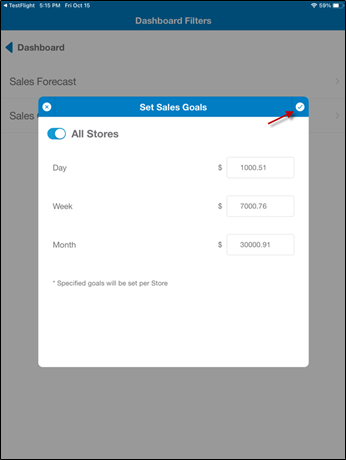
With this enhancement, when setting sales goals in the Mobile App, the values can now be expressed with both whole numbers and decimals allowing the user to set more accurate and precise sales goals. From the Dashboard, select the edit pencil on the bottom right, from the Dashboard Filters screen select Sales Goal, from the Set Sales Goals screen enter your sales goals using a decimal point value, if appropriate, and select the checkmark in the top right corner to save your Sales Goals.
Admin Console
HMMC-7352 Allowed Dealer and Support resending invitation
HMMC-7624 Allowed Dealer and Support editing email
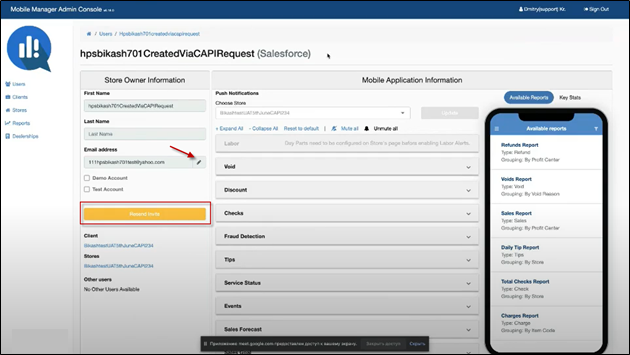
There may be instances where it’s necessary to resend a previously sent email invitation. For example, if the email address used was incorrect, the intended recipient accidently deleted the invitation, or didn’t receive the email invitation for any reason. Previously, the ability to resend email invitations was only available for users with Admin or Super Admin access. With this enhancement, Dealers and Support can now resend email invitations for Store Owners. In the example below, a Support user is logged in to the Admin Console. Note that the Dealer screens and functionality will be the same as shown in the Support example.
Use the drop-down arrow to select Invited, locate the correct record, and select the green update button to view the record.
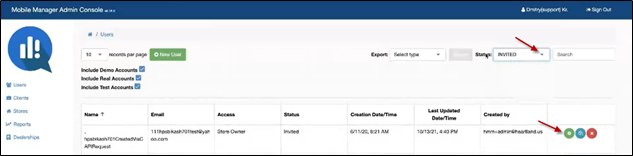
If you’re certain the email address is correct, you can select the yellow Resend Invite button to resend the email invitation.
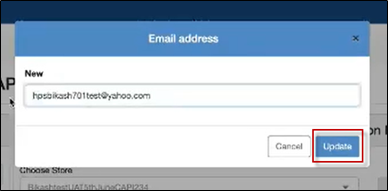
In the case of an incorrect email address, you can use the pencil icon to update the email then select the Update button to save. Once the email address has been updated, select the Resend Invite button to resend the invitation.