Overview
The following release notes contains updated versions of the following files:
If you have questions regarding the updates described in this document, please contact Heartland Restaurant’s Support Department by email (hrpossupport@heartland.us ) or phone (1-833-844-HPOS).
What's New?
The following release notes detail the updates we have included in this release.
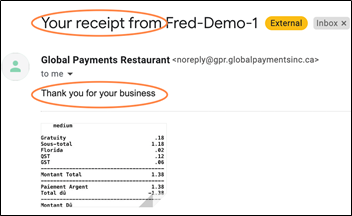
HR-6061 POS Email Receipts - Custom Subject and Body
When enabling receipts under the Admin portal, under Location Setup > Customer Receipt, a button is visible at the payment screen in the POS to email a copy of the receipt to the customer. Previously, the email subject and body text was predefined and unable to be changed.
With this enhancement, users can now modify the subject and body text of an emailed receipt allowing you to personalize the message (e.g. ‘Happy Holidays!’, ‘Thanks for dining with us!’…) and have greater control over how receipts appear and are provided to your customers.
Updates
The following release notes detail the updates we have included in this release.
HR-3102 Closing Paid Split Checks
In previous versions, you may have been unable to close a split ticket, even after paying the ticket’s full amount. In such cases, if you split a ticket into two or more split tickets, you may have been able to close the other tickets, but one ticket may have displayed as partially paid, even after you paid the full amount. We have corrected this, and you can now close all split checks after paying their full amount.
HR-3621 iOS 14.5.1 App 6.35 Priority Socket Connection
Previously, multiple sites reported significant connection issues over Priority type sockets on version 6.35 + iOS 14.5.1 requiring a workaround. This issue has been resolved so users should no longer be experiencing a connectivity issue.
HR-4233 Location displaying on Ecommerce landing page list unexpectedly
In previous versions, an issue was reported where a location in a multi-location account was displaying on the Ecommerce landing page even though Online Ordering was not enabled for it. This issue has been resolved.
HR-5197 Editing and Deleting Tables on iPad Devices
In previous versions, if you tried to edit a table layout in the Admin Console, you may have been unable to edit or delete a table. In certain circumstances, you may have been able to select a table and move it within the Table Layout screen, but you could not edit its settings or delete it. In such cases, this problem was erratic, and the Admin Console would sometimes allow you to edit and delete tables properly. We have corrected this, and the Admin Console now allows you to edit and delete tables in the Table Layout screen on an iPad device.
HR-5425 Cash Payments No Longer Listed Twice in Daily Summary Report
In previous versions, in the Daily Summary Report, the Admin Console may have listed a cash payment twice in the Transactions section. If the POS failed and was restarted, it may have caused the program to record a cash payment twice, and the program would then display the transaction twice in the report. We have corrected this, and the Admin Console no longer lists cash transactions twice in the Daily Summary Report.
HR-5519 COMO Service Accepting One-time Passcodes Properly
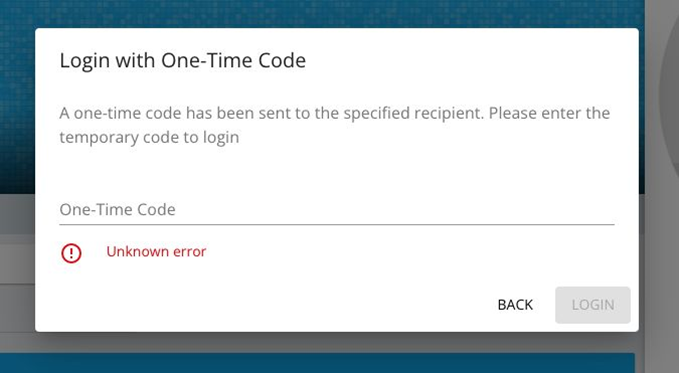
In previous versions, if your site uses the COMO loyalty service, customers may have been unable to log into the COMO service for the site’s location. In such cases, when a customer accessed the site’s website, entered an email address in the Send Email prompt, then entered the one-time passcode to log in, the program may have displayed the Send Email prompt again. If the customer reentered the email address again and tried to use the second passcode, the website would display an error message (“Unknown error”). We have corrected this, and the customers can now access the COMO service with the one-time passcodes they receive by email.
HR-5647 Cannot Refund Tip
Previously, users may have encountered an issue with not being able to refund a tip on a transaction. When a location attempted to refund from the ticket and clicked 'Yes' to refund the tip, the following error displayed: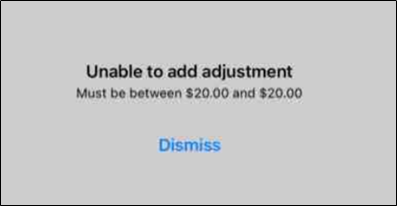
This issue has been resolved.