Overview
This document contains explanations for the following enhancements:
- Mobile App
- Admin Console
If you have questions regarding the updates described in this document, please contact Heartland Mobile Manager Support by email at hmm@heartland.us.
Enhancements
The following release notes detail the enhancements we have included in this release.
Mobile App
HMMC-8190 Implemented 'pin/unpin' feature
With this enhancement, up to three (3) threads can now be pinned to the top of a ‘thread’ view.
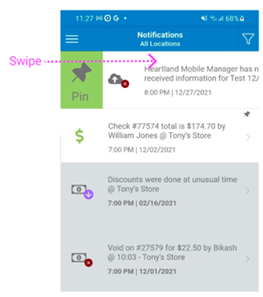
Pinning a notification
Swipe right on a notification then press the green Pin button to ‘pin’ the notification to the top of the thread.
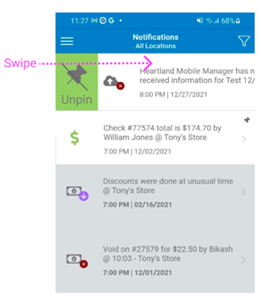
Unpinning a notification
Swipe right on a notification then press the green Unpin button to ‘unpin’ the notification.
A couple things to note on the ‘pinning’ functionality:
- Pinned notifications will remain at the top of your thread view until they are unpinned
- The Pin/Unpin button is only available in Thread view
- Only three (3) threads can be pinned
HMMC-8163 Implemented 'blue dot' mark
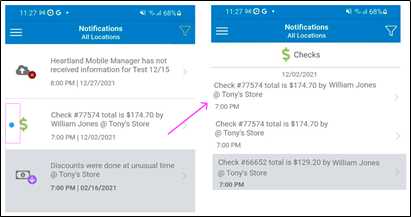
With this enhancement, the Mobile App will now display a 'blue dot' as a visual alert to you when you have unread notifications within a thread. Once each notification is read, the blue dot disappears. Note that the blue dot is not visible when only the 1st notification is unread.
In this example, on the left you can see the notification 'Check #77574 total is $174.70 by William Jones @ Tony's Store' displays the blue dot as a visual alert that the notification is unread. Once it's been read, the blue dot disappears.
Mobile App and Admin Console
HMMC-8207 Expanded 'Notifications Settings' for Goal
HMMC-8205 Expanded 'Notifications Settings' for Forecast
With these enhancements, ‘Notification Settings’ are now more customizable.
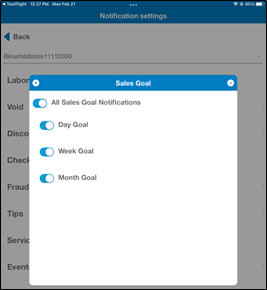
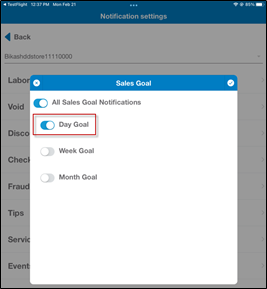
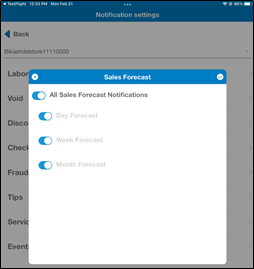
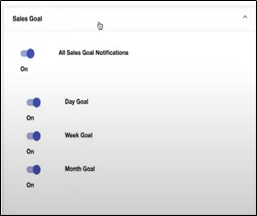
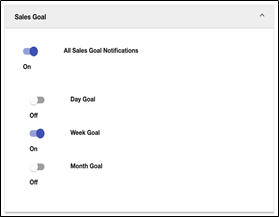
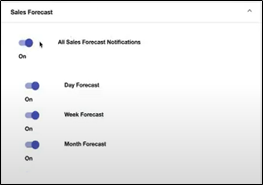
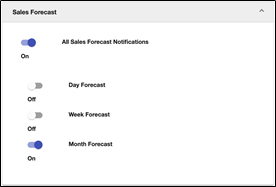
You can switch on/off all Sales Goal and Sales Forecast notifications or switch on/off specific Day, Week, and Month Sales Goal and Sales Forecast notifications within the Mobile App and the Admin Console.
- From the Admin Console or the Mobile App, expand the ‘Notification Settings’ for Sales Goal or Sales Forecast.
- Once expanded, you can use the All switch or the Day, Week, and Month switches to further customize which notifications you want to see.
Mobile App
Sales Goal All Notifications ON Sales Goal Day Only Notifications ON
Sales Forecast All Notifications ON Sales Forecast Month Only Notifications ON
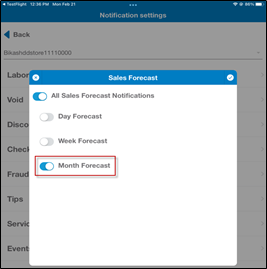
Admin Console
Sales Goal All Notifications ON Sales Goal Week Only Notifications ON
Sales Forecast All Notifications ON Sales Forecast Month Only Notifications ON
HMMC-8201 Expanded 'Notifications Settings' for Events
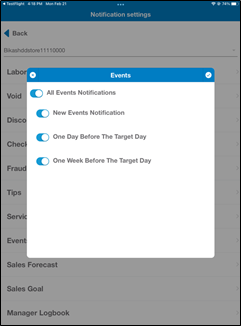
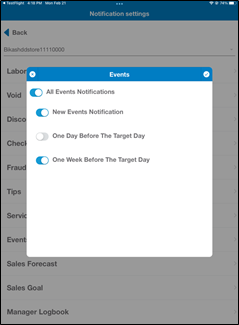
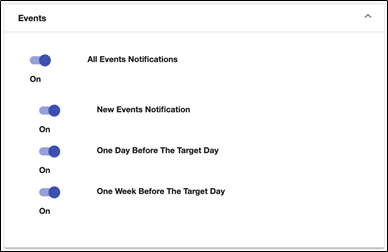
With this enhancement, you can customize your Events notifications by switching on/off all Events notifications or switching on/off New Events Notification, events notifications occurring One Day Before The Target Day, or events notifications occurring One Week Before The Target Day. This functionality is available within the Mobile App and the Admin Console.
Mobile App
All Events Notifications ON New Events Notification and
One Week Before The Target Day ON
Admin Console
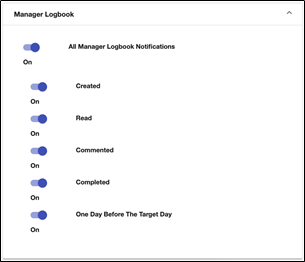
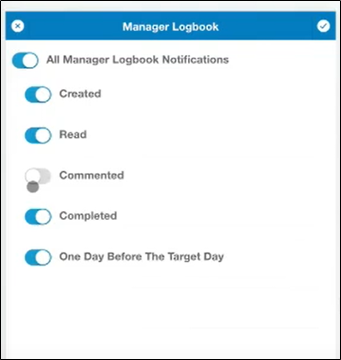
HMMC-8200 Added ‘Notifications Settings’ for Manager Logbook
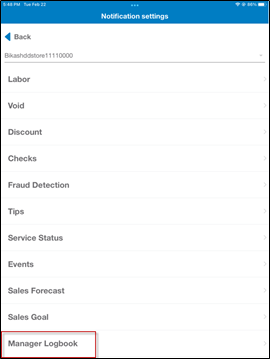
With this enhancement, Manager Logbook has been added to the ‘Notifications Settings’ screen allowing you to switch on/off All Manager Logbook Notifications or switch on/off Created, Read, Commented, Completed, and One Day Before The Target Day notifications. This functionality is available within the Mobile App and the Admin Console.
Mobile App
Admin Console