Your Essentials Bundle
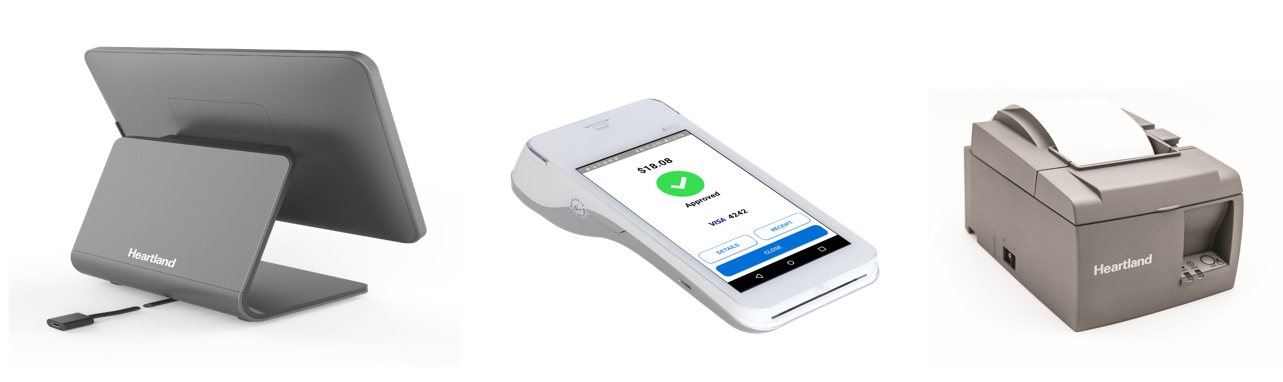
The standard Heartland Essentials bundle will include the following pieces of hardware:
- iPad and Enclosure kit
- PAX A920 Payment Device
- Heartland Star Thermal Receipt Printer
Optional Add-Ons
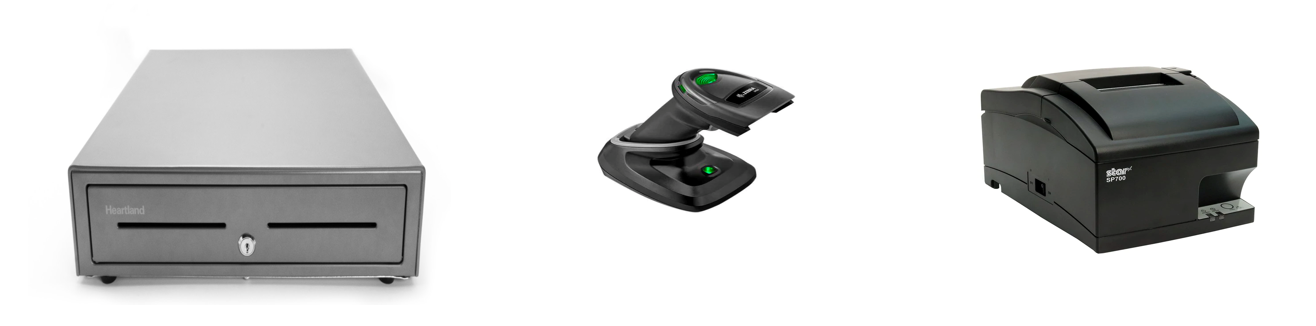
You may have also purchased the following optional add-ons:
- Heartland Star Cash Drawer
- Barcode Scanner
- Star Impact Kitchen Printer (*requires an ethernet connection)
Setting Up Your Essentials Bundle
iPad and Enclosure
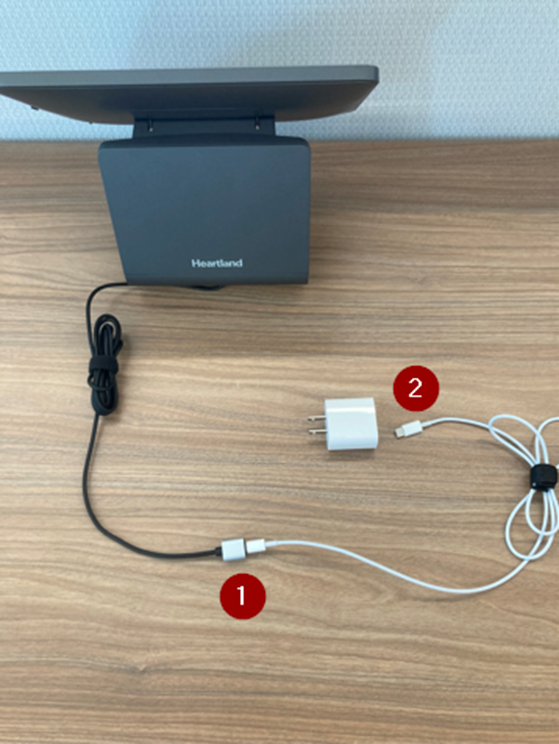
The iPad will come already inserted in the stand for you. The package will include the internal stand cable (already inserted into the iPad), a charging cable, and an Apple power adapter.
- Plug the lightning end of the charging cable into the iPad stand cable.
- Plug the USB-C end of the charging cable into the Apple power adapter.
- Plug the Apple power adapter into an electrical outlet.
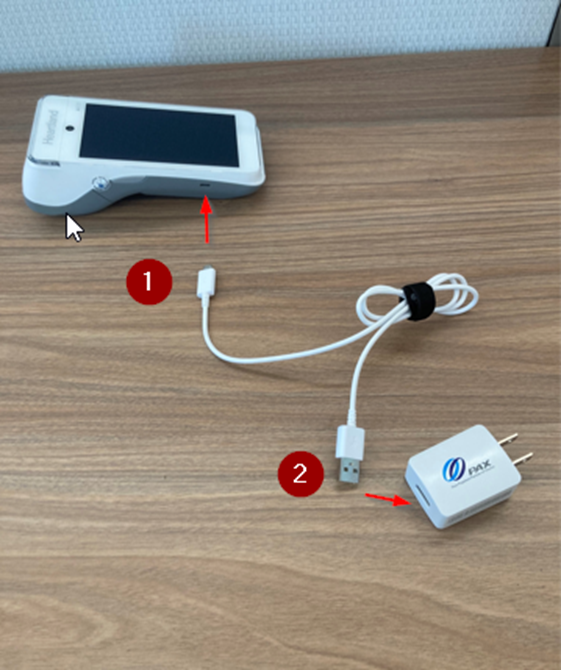
PAX A920
The PAX A920 payment device will come with a white USB cord and a power adapter.
- Insert the micro USB end of the white cable into the PAX A920.
- Insert the regular USB end of the white cable into the power adapter.
- Plug the power adapter into an electrical outlet.
Star Thermal Receipt Printer
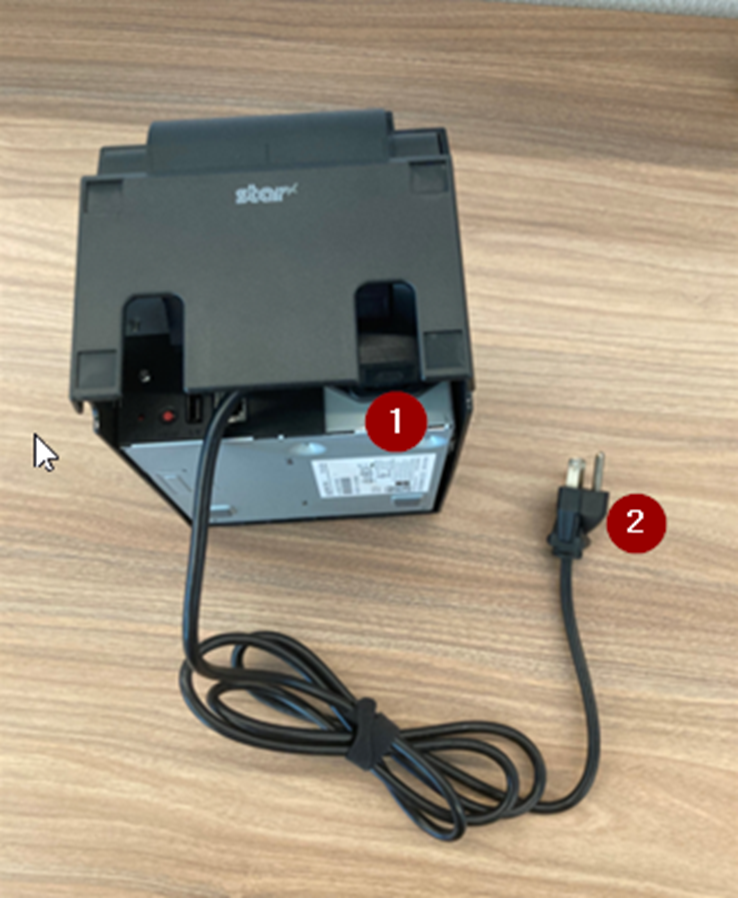
The Star Thermal Receipt Printer comes with a power cord that plugs directly into the back of the receipt printer.
- Plug the power cord into the back of the receipt printer.
- Plug the other end of the power cord into an electrical outlet.
Setting Up Optional Add-Ons
Heartland Cash Drawer
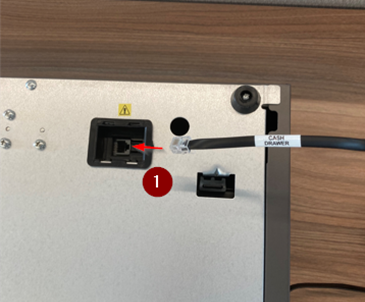
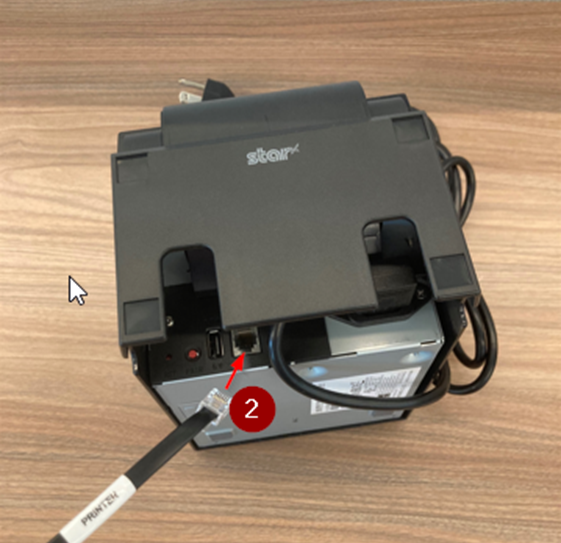
If you opted to purchase a Heartland cash drawer, the cash drawer will connect directly to your receipt printer.
- Plug the end of the cable provided that is labeled “cash drawer” into the bottom of the cash drawer.
- Plug the end of the cable labeled “printer” into the back of the printer.
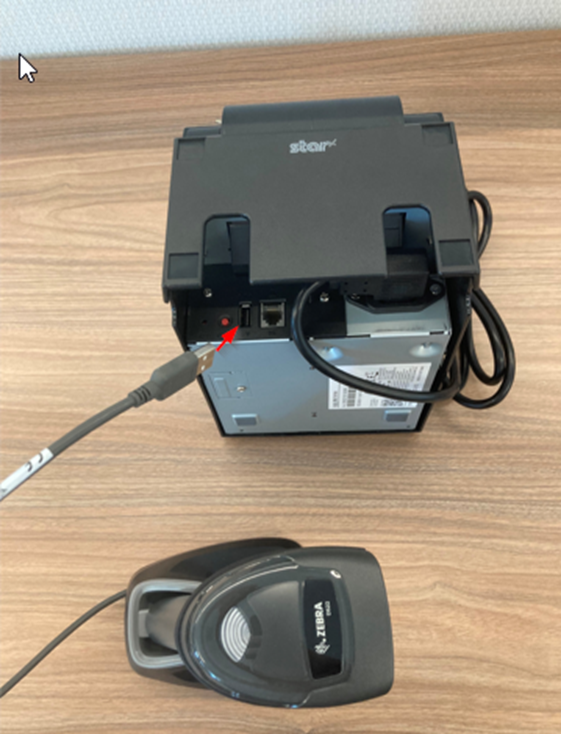
Barcode Scanner
The Barcode Scanner can connect to the back of the receipt printer for charging capabilities, or any USB-A power adapter you may have available.
Star Impact Kitchen Printer
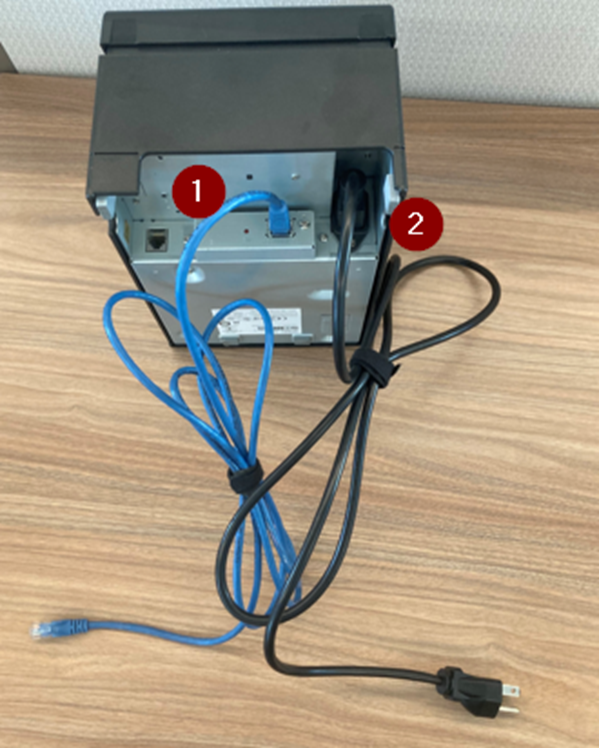
The Star Impact Printer has two cords to connect, a power cable and an ethernet cable.
- Plug one end of the ethernet cable into the back of the printer and the other end directly into your network router or an ethernet wall outlet, if available.
- Plug one end of the power cable into the back of the printer and the other end into an electrical outlet.